my latest blog posts
How To: Track GA4 AI Assistant Traffic, Including Historical Data

A Rough Guide To: LLMS.txt - What It Is & How To Create One
How To: Build SEO Content Hubs for Topical Authority


Enter your domain below to get started.
Enter your domain and we'll find the sitemaps declared in your robots.txt. You can then choose which pages to include in your llms.txt file.
Tick the pages you want to include - up to 100.
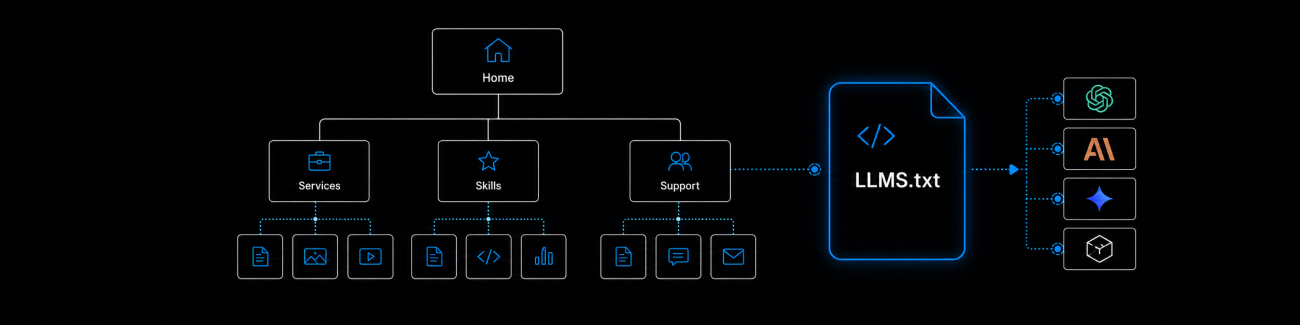
Enter your domain and the generator will find the XML sitemaps declared in your robots.txt, organise the URLs it discovers, and let you choose which pages should represent your site.
Rather than automatically adding every URL it finds, you can select up to 100 of your most useful pages before generating your llms.txt file.
If you're not sure what an llms.txt file is, what you should include or whether you need one, read my guide to llms.txt before getting started.
llms.txt is only one small part of AI visibility. My AI search optimisation consultancy looks more broadly at how your website, content and structure can support visibility across AI search platforms.
Enter your domain and the generator will find your XML sitemaps, checking both robots.txt and common sitemap locations, then organise the URLs it discovers and let you choose which pages should represent your site.
Once the URLs have been found, you can choose which pages you want to include. Pages are grouped by section or directory where possible, so you can select an entire section at once or choose individual pages.
You can select up to 100 URLs. Once you've made your selection, the generator crawls those pages and retrieves the URL, page title, H1 and meta description.
For each page, you can choose whether the H1 or title tag should be used as the page name in your llms.txt file. If a title tag is used, the generator will also look for a repeated brand name and remove it where it can identify one confidently.
Each page is then added in this format:
- [H1 or title](<url>): meta description
For example:
- [Expert SEO & Analytics Support](<https://daveashworth.co/support/>): Practical website support when you need it - from tracking and insights to audits, optimisation and advice. No contracts, no retainers, just expert help on your terms.
You can then review the information found for each page before generating your llms.txt file.
Your XML sitemap and llms.txt file don't need to contain the same URLs.
A sitemap may contain hundreds or thousands of valid pages, but that doesn't mean every one of them needs to appear in your llms.txt file.
Rather than automatically turning your entire sitemap into an llms.txt file, this generator lets you choose the pages that are most useful for understanding your site and what it offers.
The 100-page limit is deliberate. The aim is to create a curated list of important pages rather than simply recreating your XML sitemap in another format.
Choose the pages that best explain what your website is about and provide the most useful information about your products, services, content or resources.
Depending on your site, that might include:
You generally don't need to include low-value archive pages, tags, pagination, utility URLs or other pages that add little additional information about your site.
There isn't one set of URLs that works for every website, which is why the generator lets you review and choose the pages yourself rather than making that decision automatically.
No. The generator uses your XML sitemaps to discover URLs, but it only reads the individual pages you choose to include in your llms.txt file.
The generator first checks your robots.txt file for declared XML sitemaps. If none are found, it also checks common sitemap locations such as /sitemap.xml and /sitemap_index.xml.
If no H1 is found, you can use the page title instead. The generator also highlights pages where an H1, meta description or other expected information couldn't be found so you can review them before generating the file.
Yes. For each selected page, you can choose whether the H1 or title tag should be used as the page name in your llms.txt file.
Where it can identify a repeated brand name confidently, the generator removes it from the beginning or end of title tags before using them in your llms.txt file. The original page title itself is not changed.
The generator reads the HTML returned by the server. If important content such as the H1 or meta description is only added after JavaScript runs in the browser, it may not be available to the generator.
The generator follows redirects where possible and flags redirected URLs in the results so you can review whether your sitemap should be updated.
No. The generator processes the sitemap and page information needed to create the file, but it doesn't store copies of your pages, sitemap or generated llms.txt file.
If you need some SEO consultancy or services, want to find out more, or even just have a question, fill in the form below as I will always be happy to help